Search South Dakota entity names using the SOS Business Services platform. All new entities must have a name that is distinguishable from any existing companies in the state, and the database can help determine whether a name is available. Even if the name appears to be available, the SOS’s approval will be based on statutory requirements and other factors.
Business Entity Search
1. Go to the Business Information Search Database
2. Find Business Names
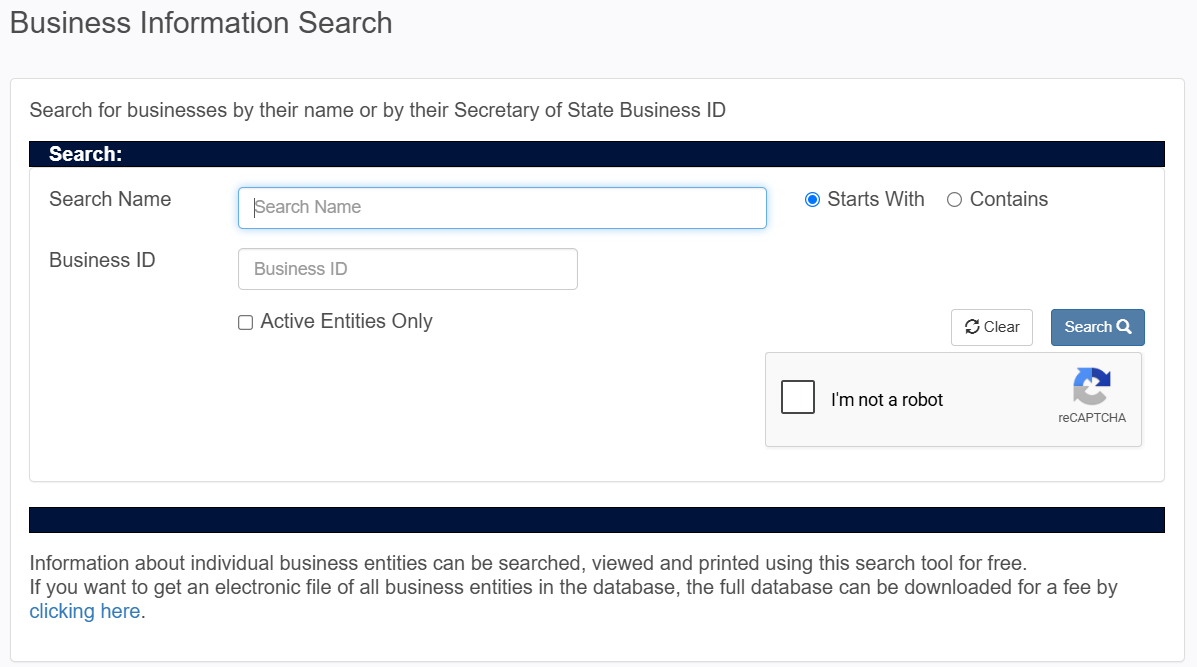
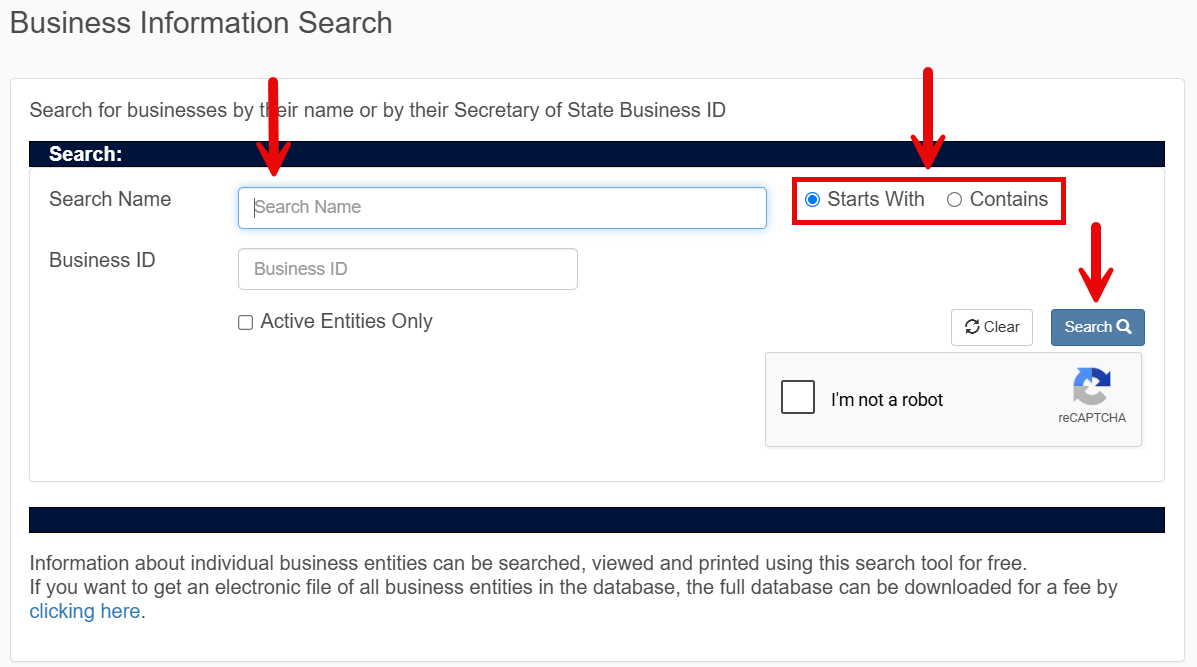
To perform a search, enter a business name in the field, select the Starts With or Contains filter, then click Search.
3. Explore Results
If the business name entered yields no results, the page will display No Records Found (see image). This is not a guarantee the name is available for use, but it’s a necessary first step.
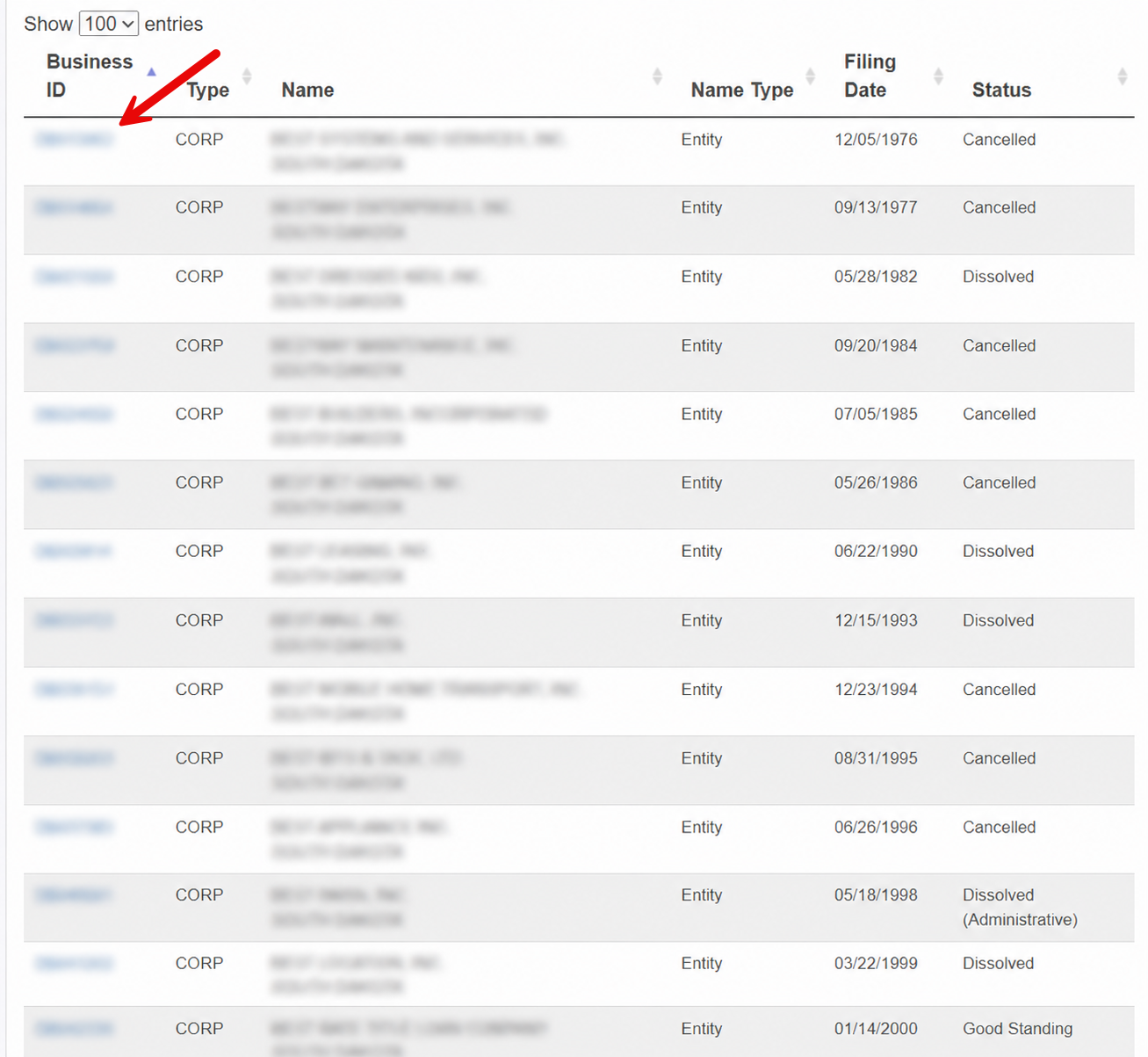
If the keywords provided in the search field match any current entity names, a list of businesses will be displayed along with their business ID, type, filing date, and status. Click a Business ID from the left column to find out more about a specific entity.
4. View Business Entity Details
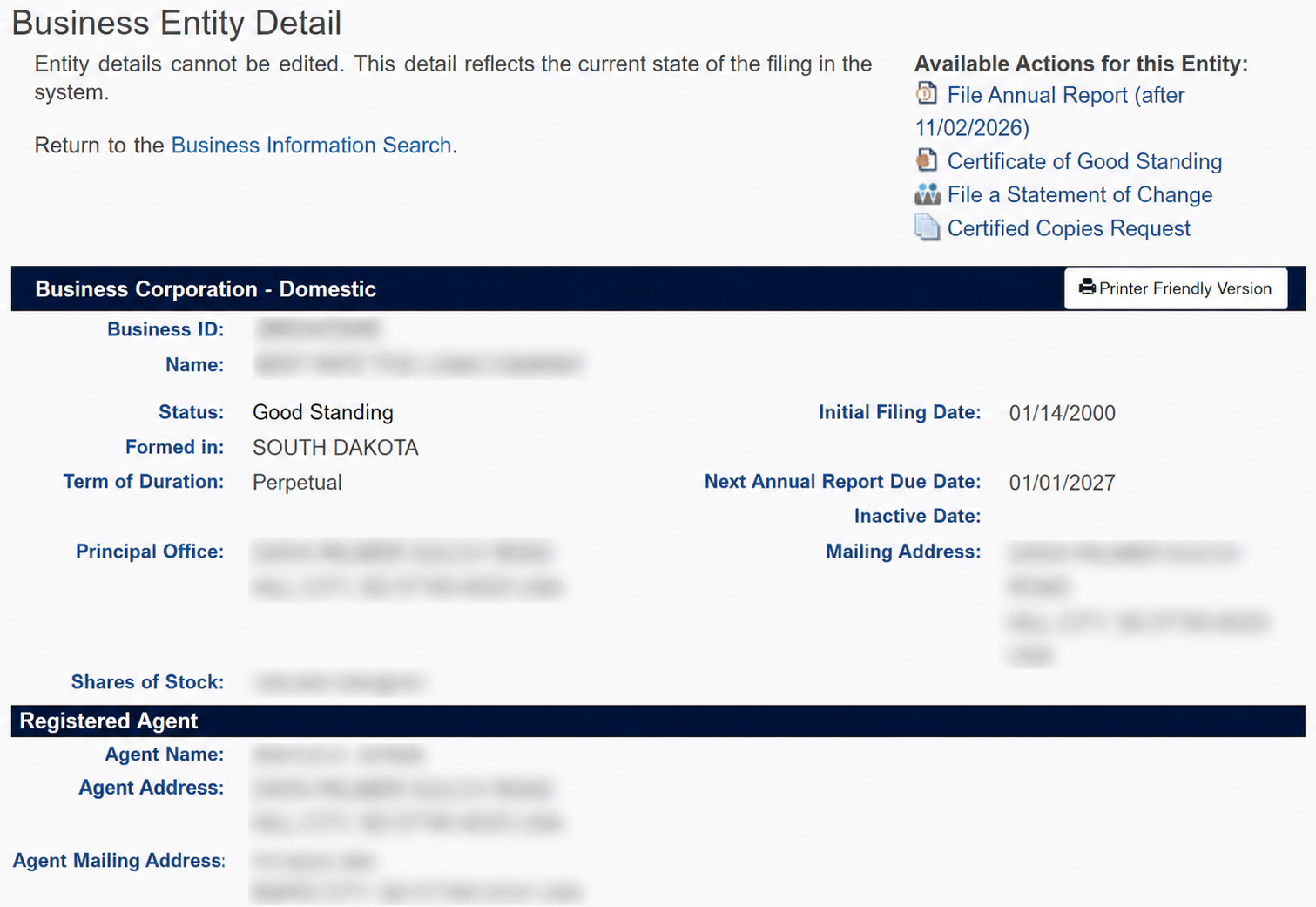
After clicking on an entity’s business ID number, you can inspect the company’s details as well as view annual reports and other filings.
- ID number
- Entity name
- Status
- Formation jurisdiction
- Term of duration
- Principal office address
- Stock info
- Filing date
- Annual report date
- Mailing address
- Registered agent info