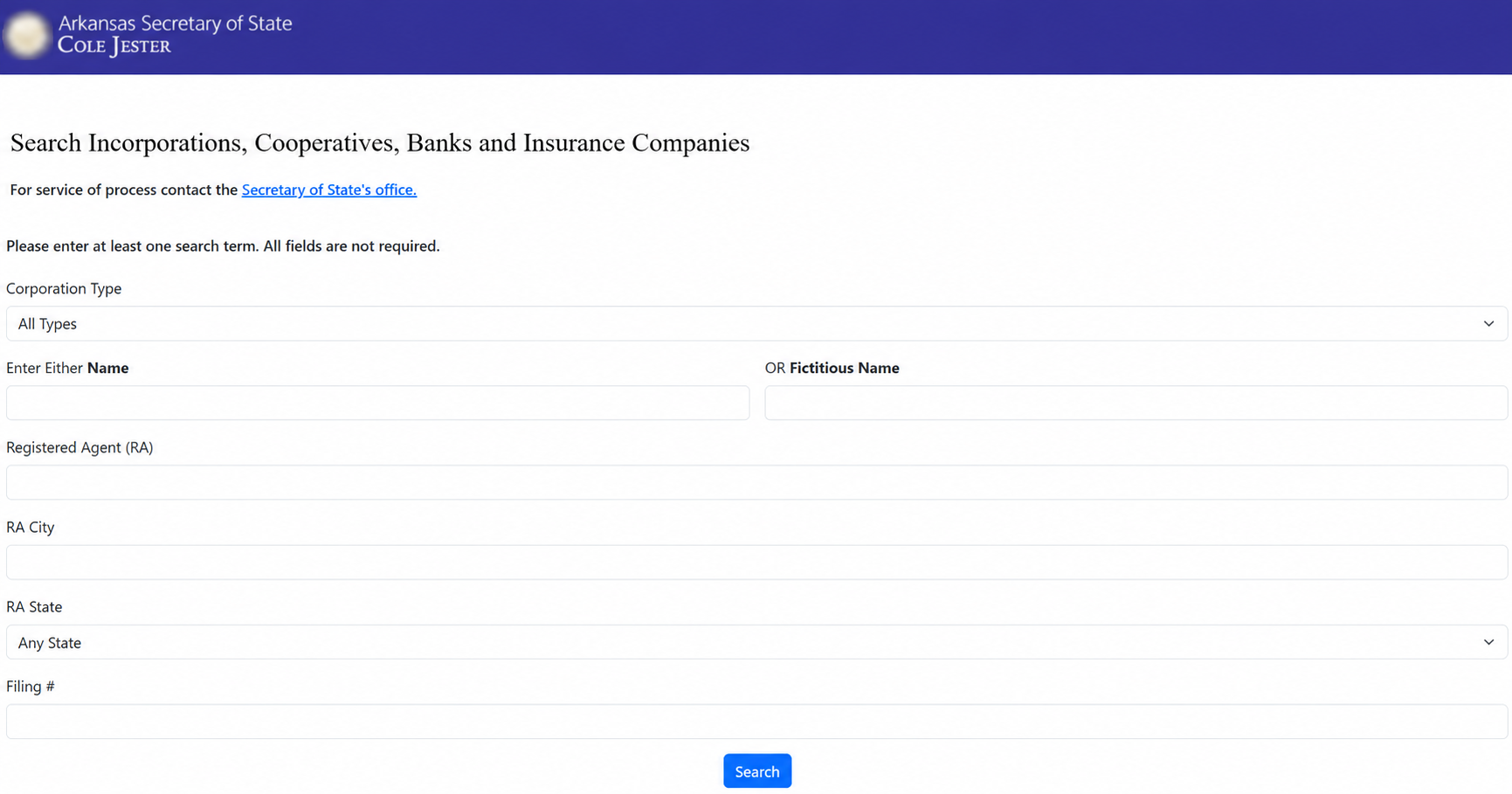
Search Arkansas business entities using the Secretary of State’s incorporations portal. The results can show whether the same or a similar business name is already on file. When no matching records are found, a “No Results Found” notice will appear indicating that the name may be available for use in Arkansas.
Business Entity Search
1. Go to the Incorporations Search Page
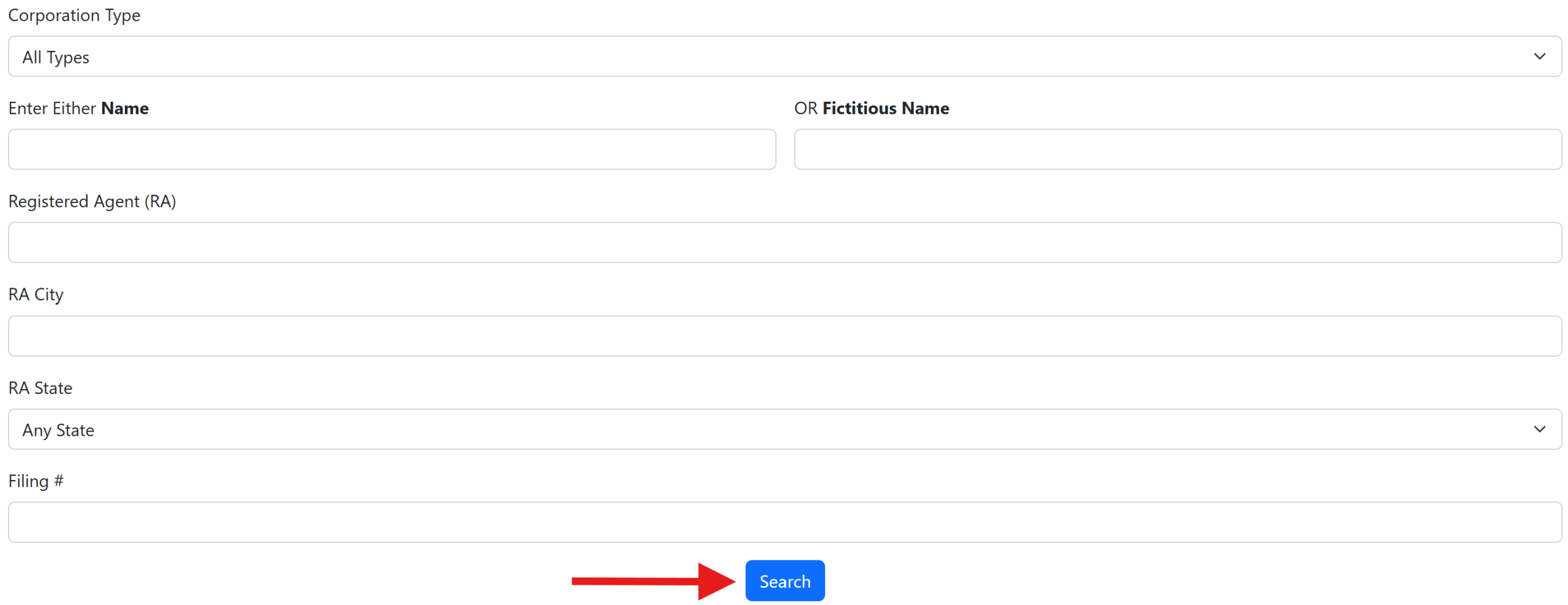
2. Conduct a Business Search
At least one identifying entity detail must be provided when searching the Secretary of State’s business database. Accepted search terms include:
- Corporation type
- Business name or fictitious name
- Registered agent name
- Registered agent city
- Registered agent state
- Filing number
Enter the identifying entity details in the appropriate fields, then click Search to submit the query.
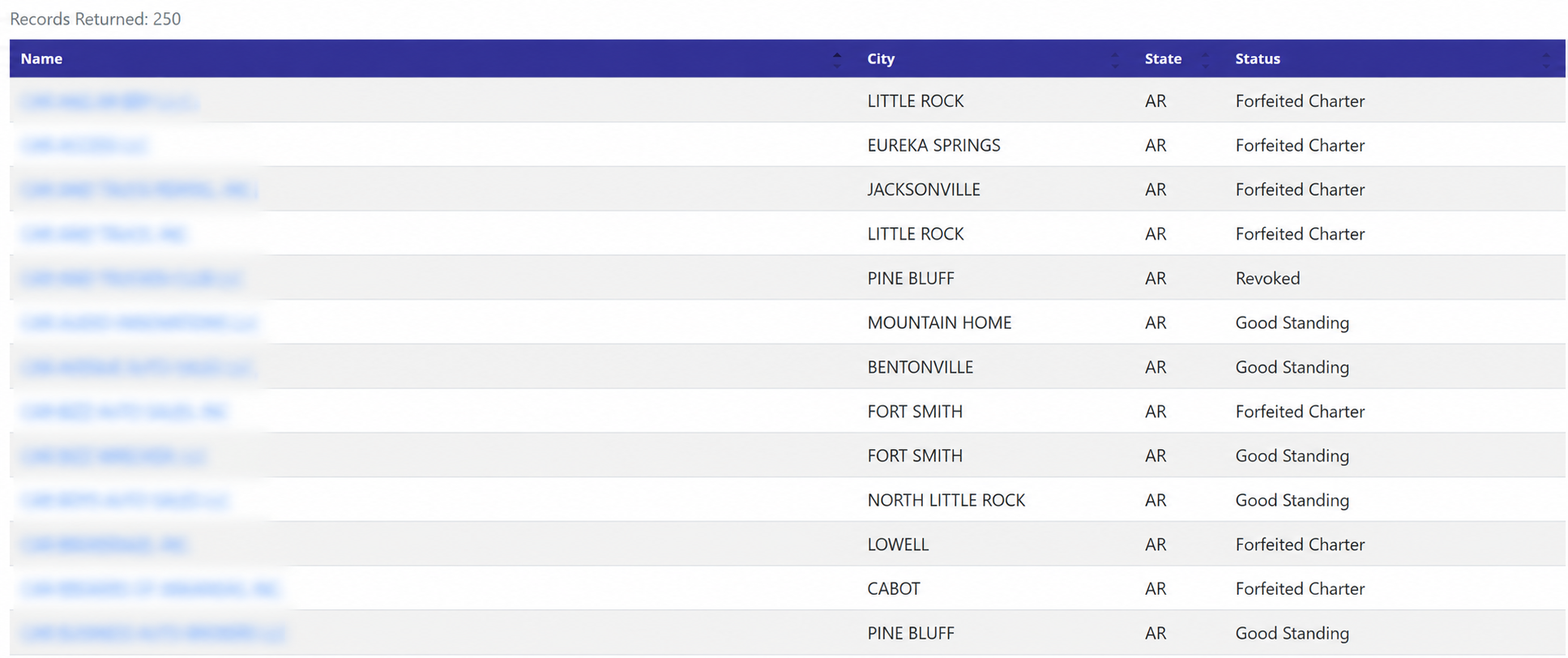
3. Access the Entity Report
Matching records will appear on the results page and display each entity’s name, city, state, and status. Select a name on the left to open the full entity report (see image).
If the searched name does not appear, it may be available for use by a new business. However, final availability is subject to approval by the Secretary of State’s office.
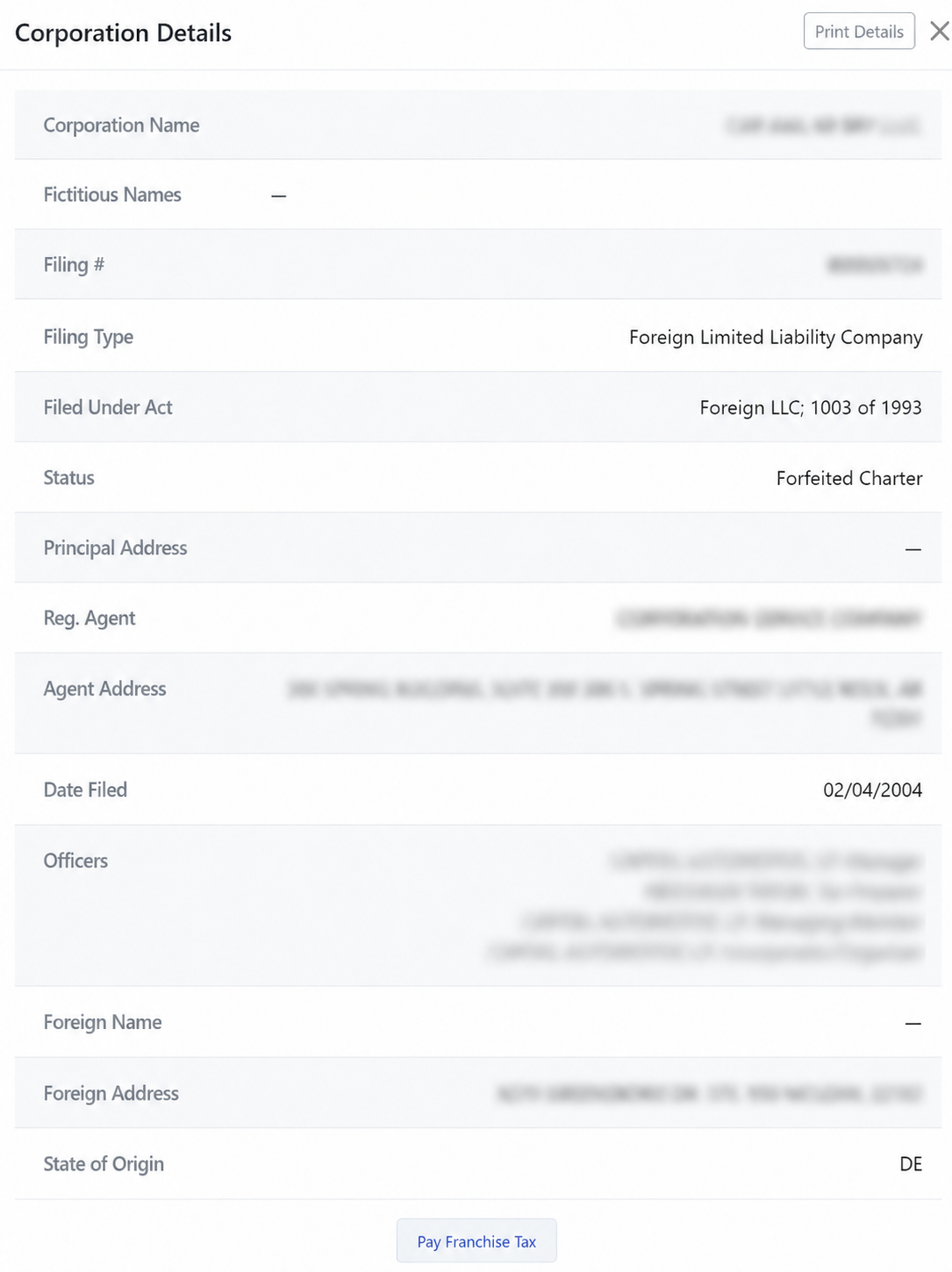
4. View the Report
After selecting one of the business names, a window titled Corporation Details will appear with the following entity details presented for review:
- Entity name
- Fictitious names
- Filing number
- Filing type
- Act filed under
- Status
- Principal Address
- Registered agent name
- Registered agent address
- Date filed
- List of officers
- Foreign name
- Foreign address
- State of origin