Find Rhode Island business entity names on the Secretary of State’s entity database. The platform can help new businesses determine whether a name is unique so that it can be registered with the state. If a name is already taken, it cannot be used by another company.
Business Entity Search
1. Visit the SOS Entity Search Portal
2. Search Entity Names
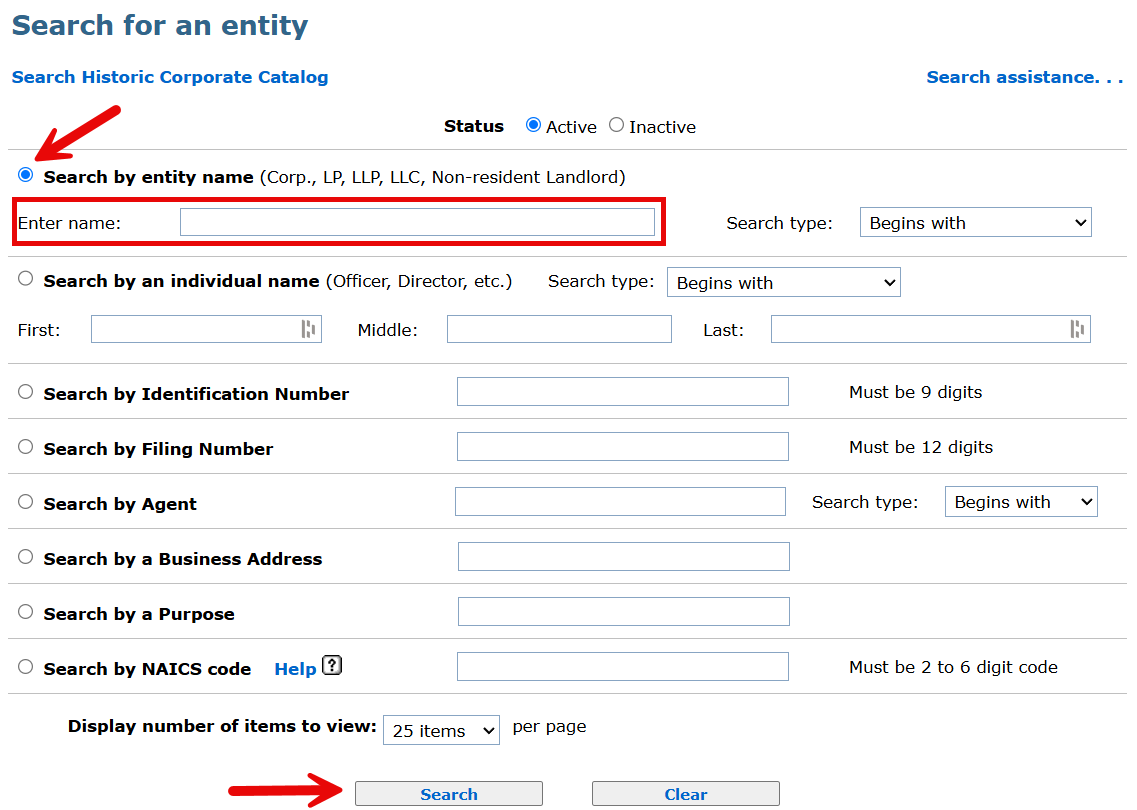
Select the Search by entity name filter, enter the desired business name, and click Search.
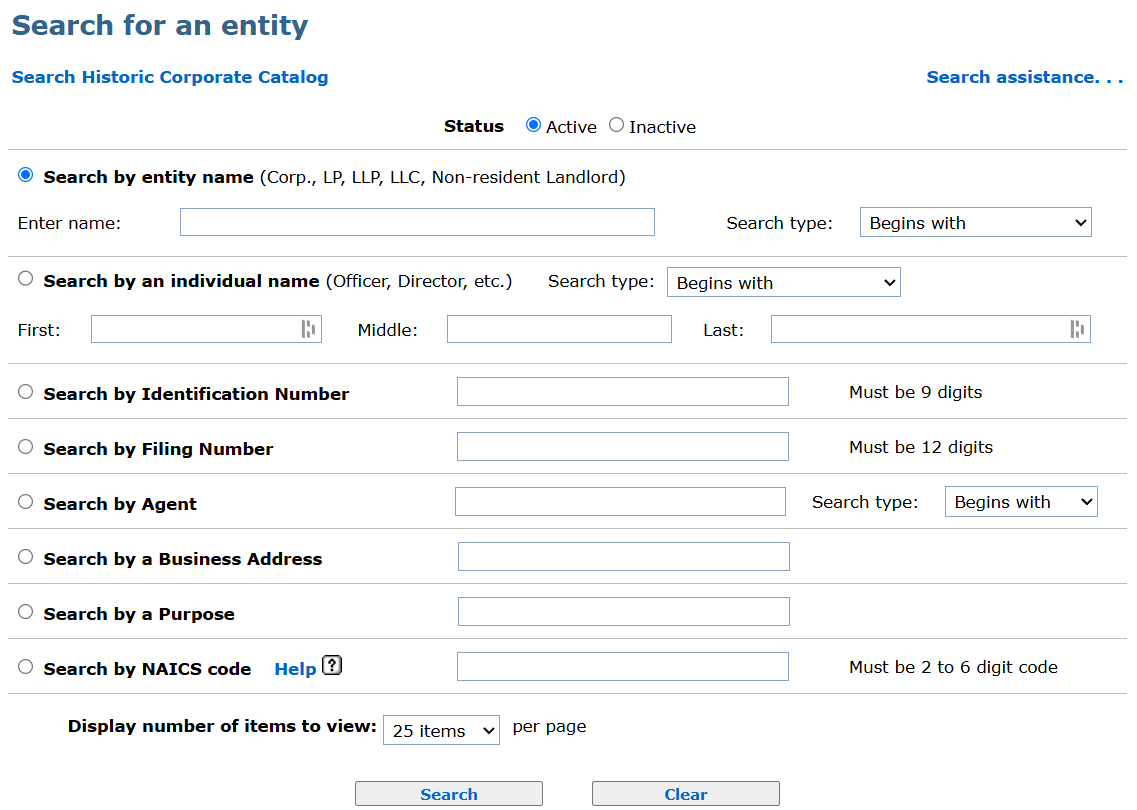
Filters: Search results can be refined by choosing between Active or Inactive entity status or clicking the Search type dropdown menu and selecting “Begins with,” “Exact match,” “Full text,” or “Soundex” (see image).
3. View List of Entity Names
- No Records Found. If the provided search criteria does not yield a list of results (see image), it’s possible that the entity name is available and can be registered.
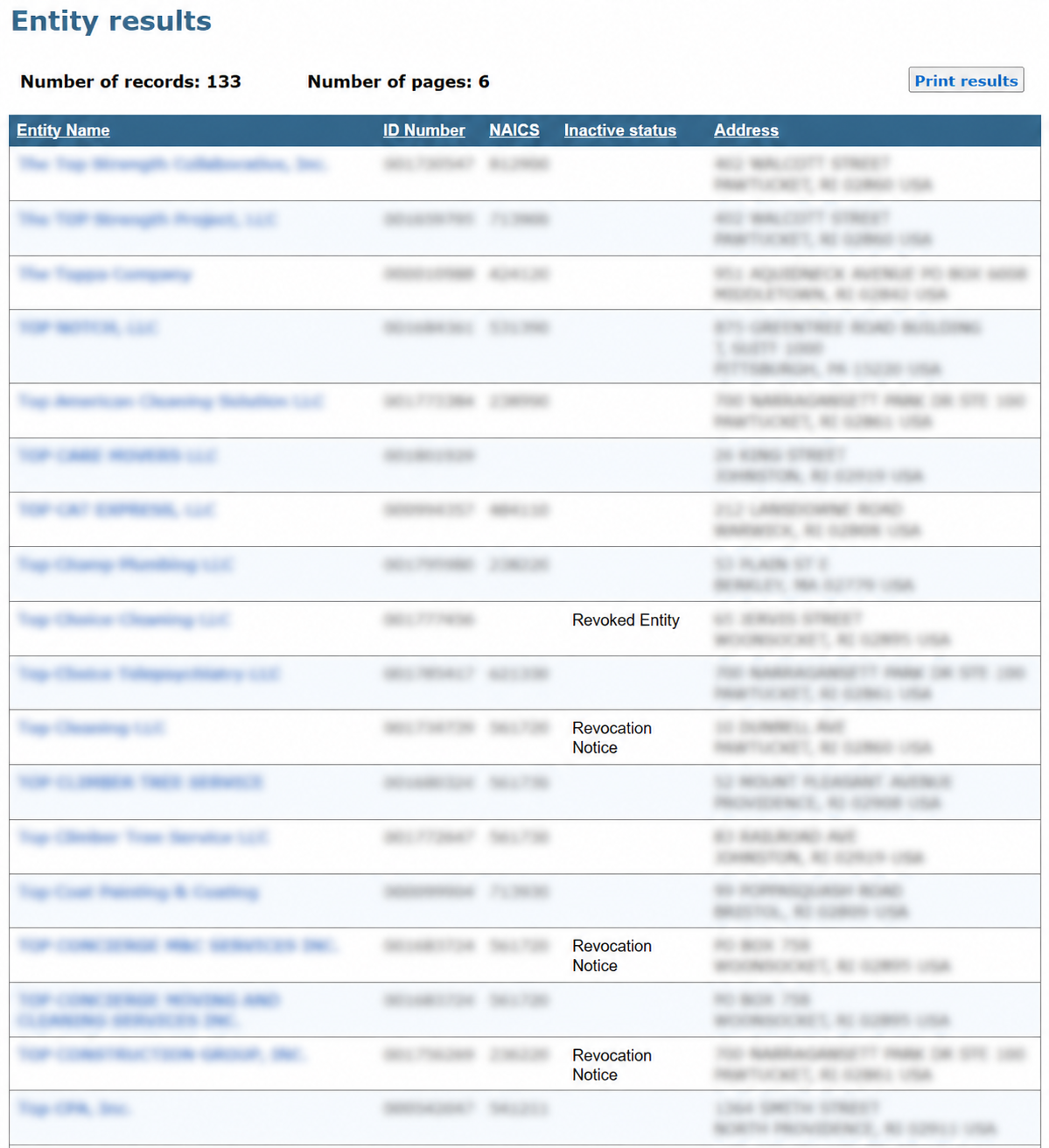
- View Entity Results. If any entity names meet the search criteria, they will be listed in the results page and are unavailable for use. If a name belongs to an inactive entity, it may be available for use depending on a number of factors.
4. Inspect Entity Details
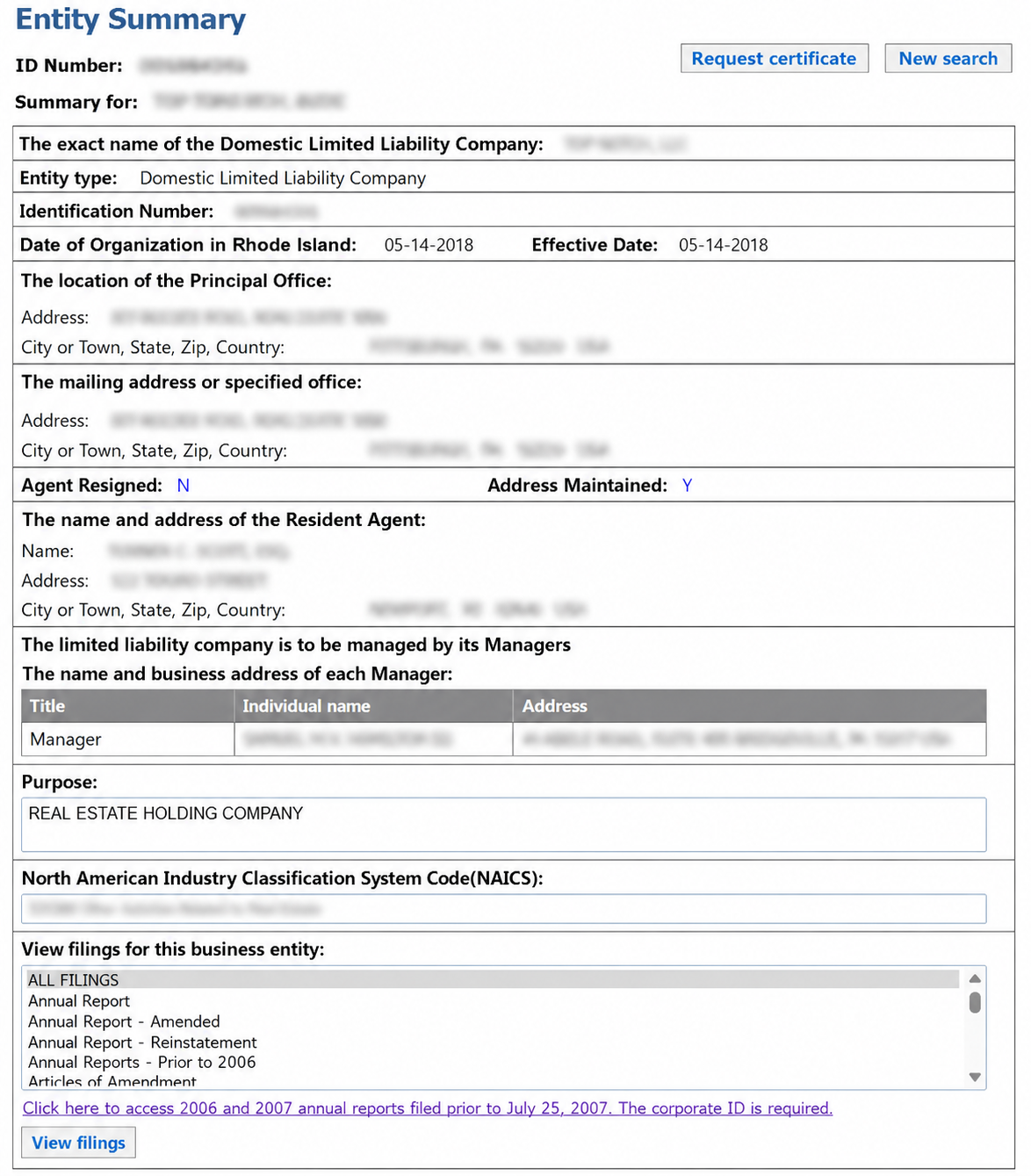
To reveal more information about a specific business, click on the Entity Name from the results list. This will bring up the Entity summary page where certificates can be requested, filings can be viewed, and additional details are displayed:
- Entity name
- Type
- ID number
- Inc./org. date + effective date
- Principal office address
- Mailing address
- Agent name and address
- Manager name and address
- Business purpose
- NAICS code
- Filing history