Search Nevada business names with the SilverFlume Corporate & Business Search webpage provided by the Secretary of State. The site can be used to verify if an entity name is already in use or registered as a trademark or trade name in the state. This makes it easier for businesses to ensure that their chosen name isn’t taken before they apply for registration.
Business Entity Search
1. Go to the Nevada Business Search Webpage
2. Enter Search Criteria
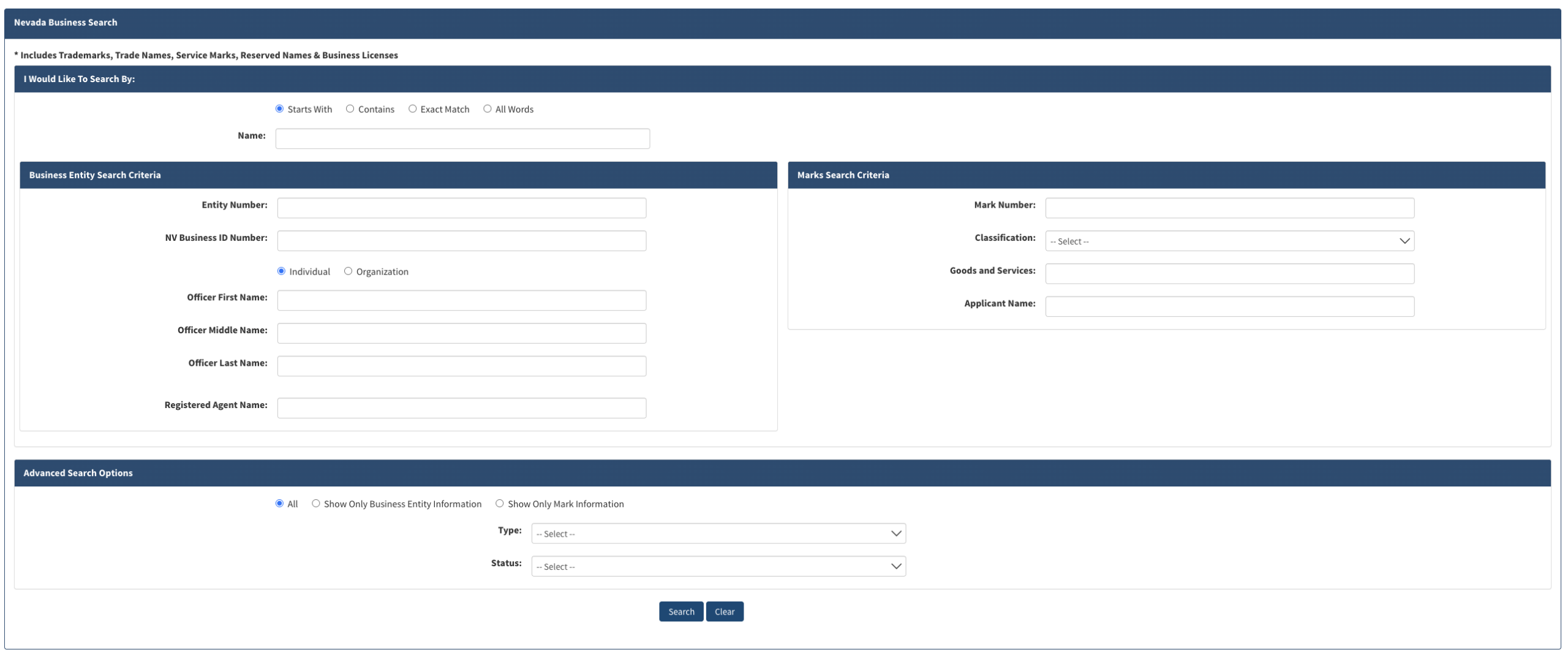
Enter the entity name being searched for into the Name field and select one of the following search options:
- Starts With
- Contains
- Exact Match
- All Words

3. Advanced Search Options
Under Advanced Search Options, the additional search options are:
- All (to show all results)
- Show Only Business Entity Information
- Show Only Mark Information
Results can also be filtered by Type and Status using the drop-down menus.

4. View Search Results
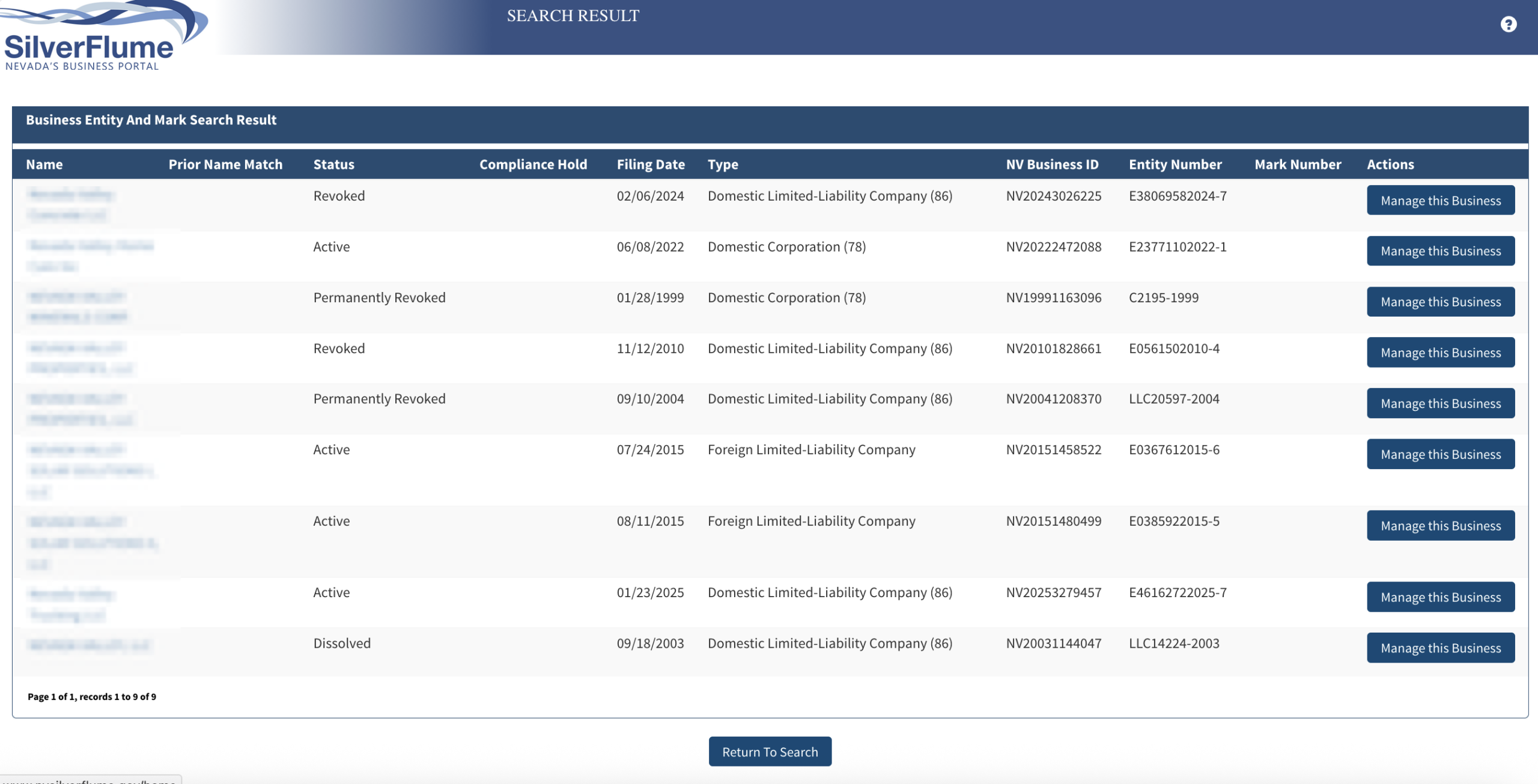
After clicking the Search button (see image), the webpage will redirect to a list of matching search results, displaying the following information for each entity:
- Name
- Prior Name Match (if applicable)
- Status
- Compliance Hold (if applicable)
- Filing Date
- Type
- NV Business ID
- Entity Number
Clicking on an entity name will open its detailed information.
5. View Entity Information
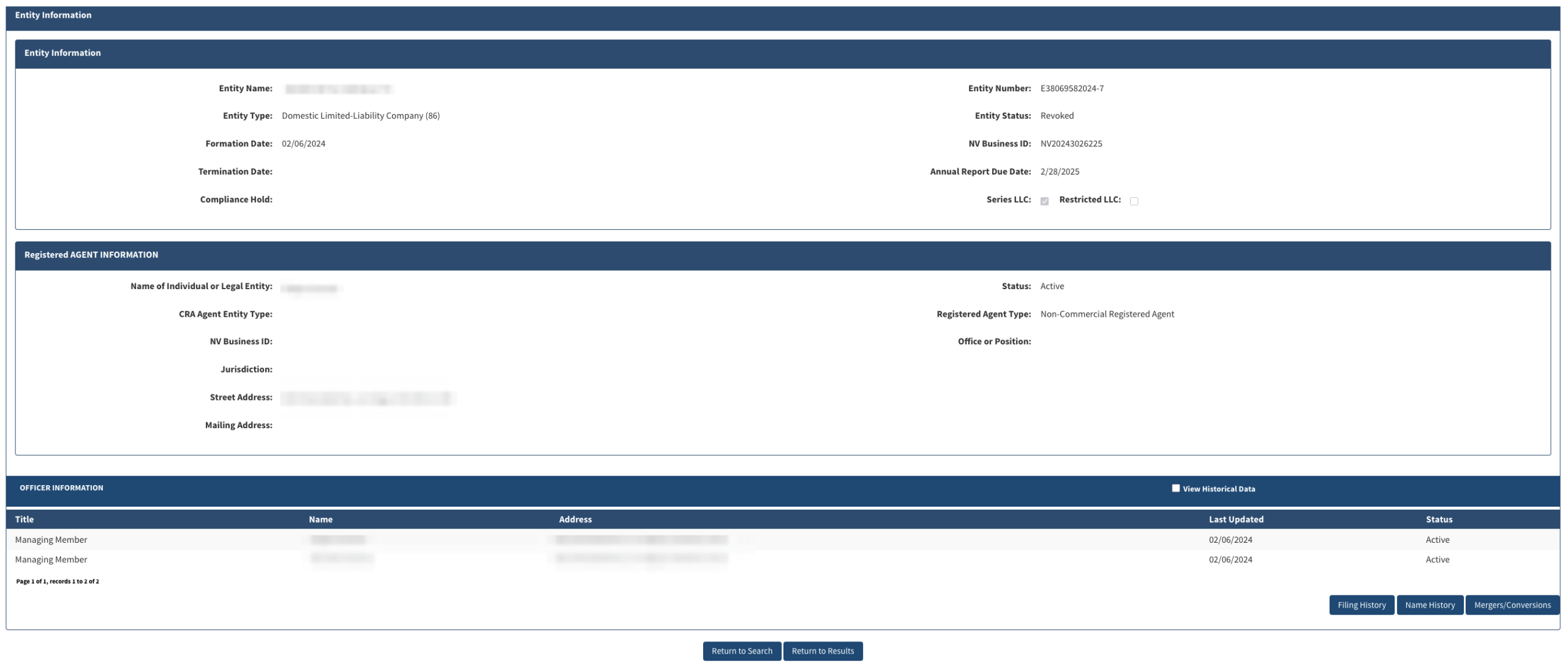
The Entity Information page provides the following entity information:
- Entity Name
- Entity Type
- Formation Date
- Termination Date
- Compliance Hold
- Entity Number
- Entity Status
- NV Business ID
- Annual Report Due Date
- LLC Type
- Registered Agent Info
- Officer Info