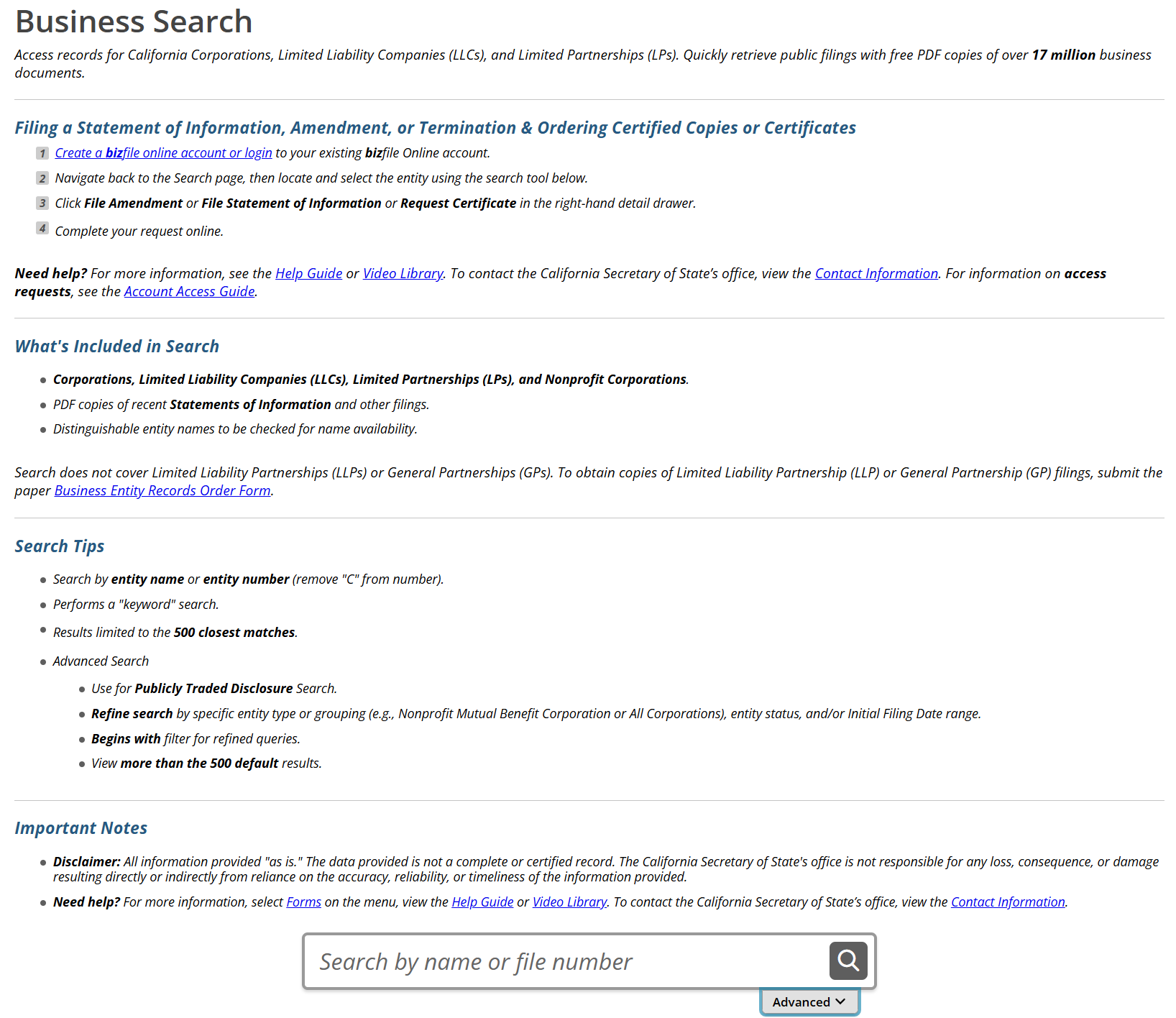
Perform a California business search to research entity information or determine the availability of a proposed company name. Before forming an entity, a search can help identify exact or similar name matches. A close match may mean the chosen name is unavailable.
Business Entity Search
1. Open the Business Search Page
2. Enter Search Information
Use the field at the bottom of the search page to enter an entity name or file number. A name search can check availability, while a file number search locates a specific business.
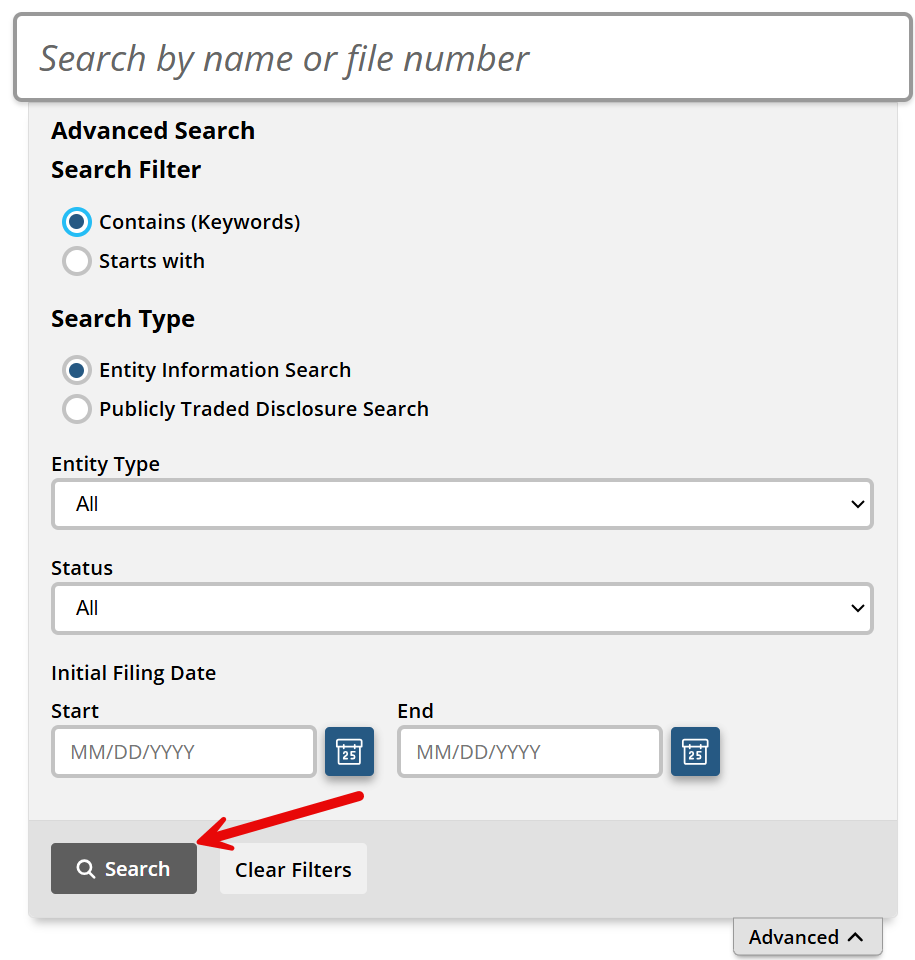
After entering the entity details, select either the magnifying glass to run the search or Advanced to access filters (see image).

3. Refine Search (Optional)
If Advanced was selected, a pop-up will appear with the following filter options:
- Search Filter
- Search Type
- Entity Type
- Status
- Initial Filing Date
Use the advanced options to refine the search as needed. When ready, select Search to review the results.
4. Review Search Results
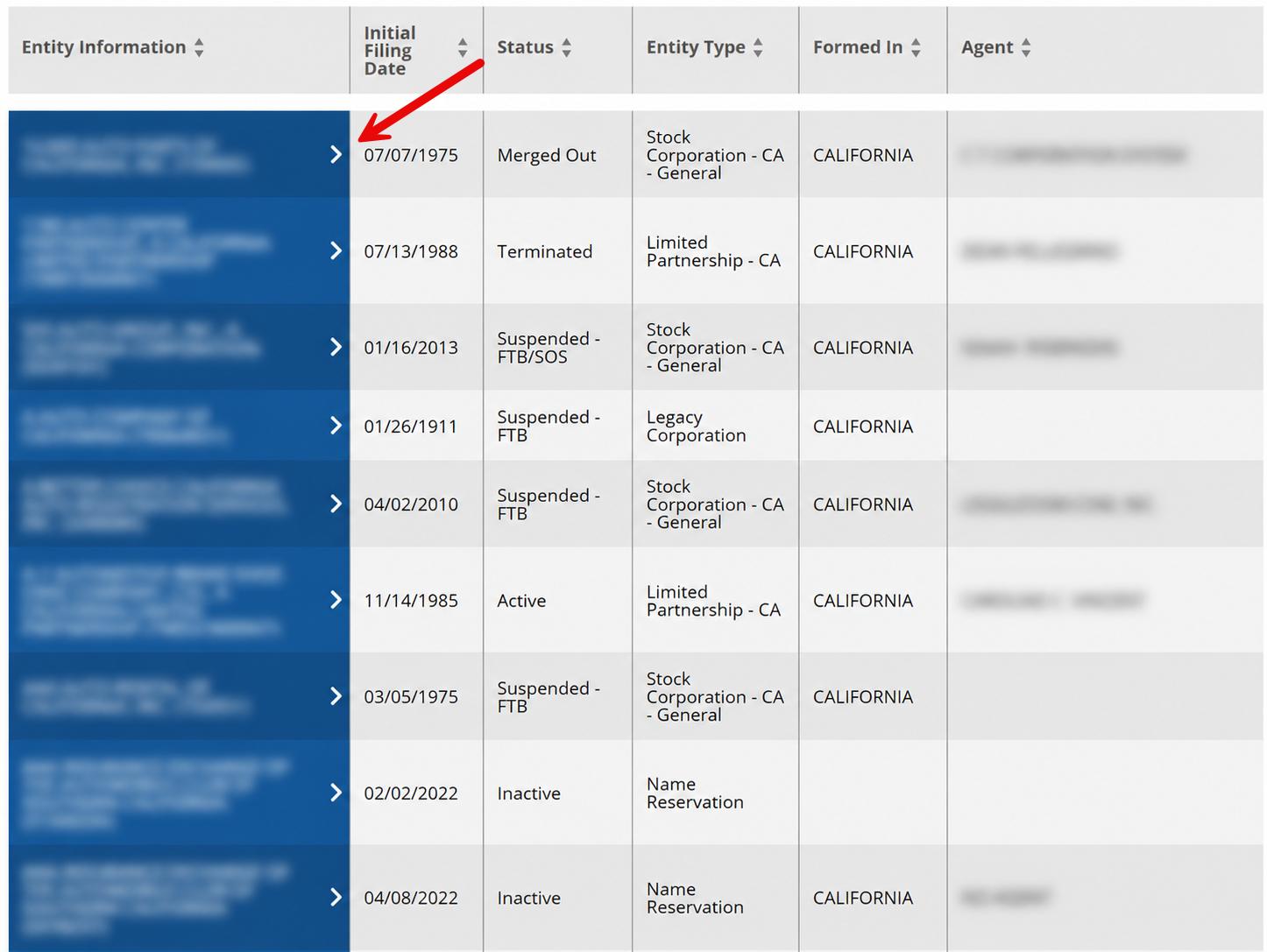
Matching entities will appear in a results list. Each result shows the full entity name on the left, along with a few other basic business details.
Selecting one of the entities listed in the blue column below Entity Information opens a window on the right containing additional details.
5. View Complete Record
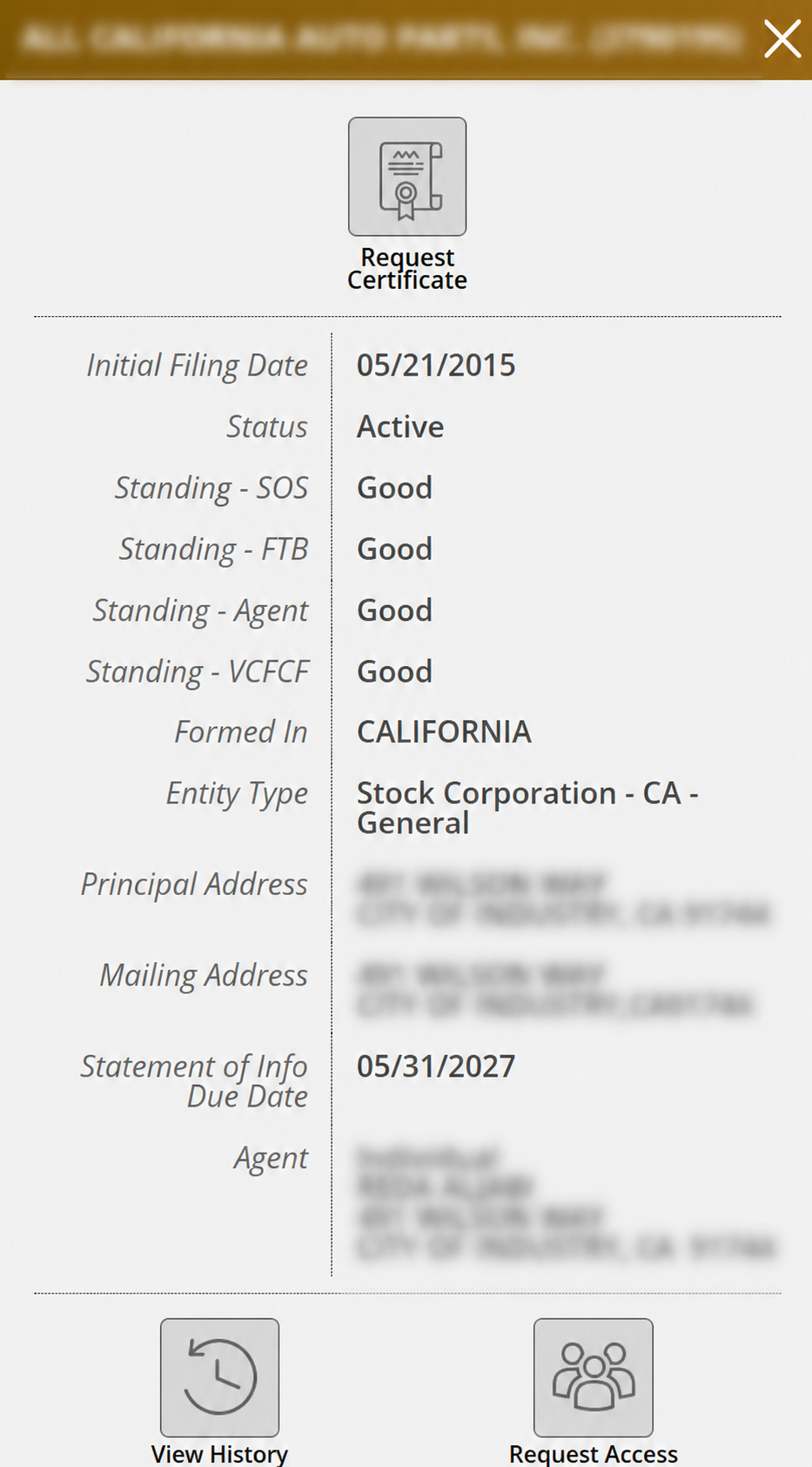
The additional information shown may vary slightly by entity type. In most cases, the details page includes the following:
- Entity name
- Entity file number
- Initial filing date
- Status
- Secretary of State standing
- Franchise Tax Board standing
- Registered agent standing
- Victims of Corporate Fraud Compensation Fund standing
- Place of formation
- Entity type
- Principal address
- Mailing address
- Statement of Information due date
- Agent name and address
Optional buttons are available to request certificates for the entity, view its filing history, or request access to online features (see image).